
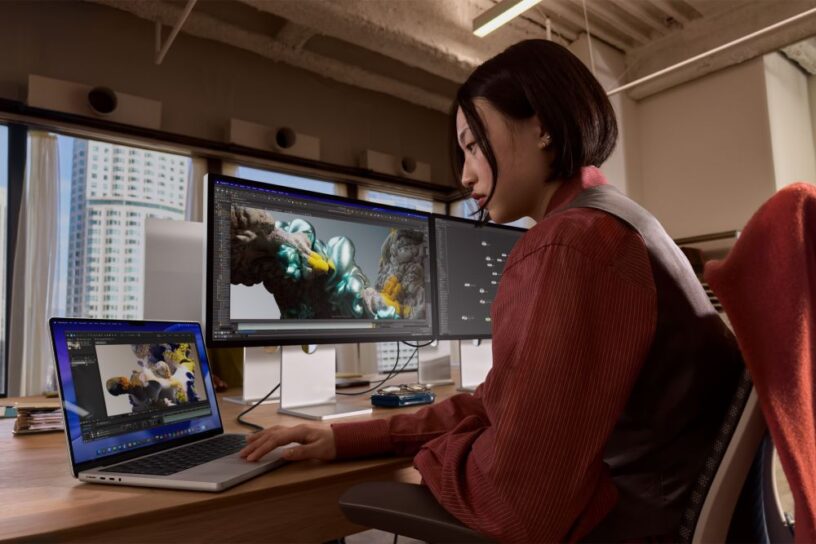



If you thought your current monitor was “good enough,” Apple just arrived to politely—and very brightly—disagree.
The announcement of the new Studio Display family isn’t just a spec bump; it’s a total takeover of the professional workspace. Whether you’re a creative hobbyist or a high-end film editor, Apple has effectively drawn a line in the sand. On one side: the new 5K Studio Display. On the other: the absolute beast that is the Studio Display XDR.
Here is the breakdown of why your desk setup is about to feel very, very dated.
The Studio Display XDR: A “Mini” Revolution
Let’s talk about the showstopper first. The Studio Display XDR replaces the aging Pro Display XDR, and it does so with terrifying efficiency.
By packing an advanced mini-LED backlight with over 2,300 local dimming zones into a 27-inch frame, Apple has achieved a 1,000,000:1 contrast ratio. But the number that will actually make you blink? 2,000 nits of peak HDR brightness. To put that in perspective, that’s bright enough to make HDR content practically jump off the glass. Combined with a 120Hz refresh rate and Adaptive Sync, motion is fluid whether you’re scrubbing through 8K raw footage in Adobe Premiere or losing yourself in a graphically intense game.
The Pro Verdict: With 80% Rec. 2020 coverage and new support for the Adobe RGB color gamut, this is no longer just a monitor—it’s a reference-grade tool for print, design, and 3D animation.
Connectivity That Actually Makes Sense
Both the standard Studio Display and the XDR model have finally embraced Thunderbolt 5. This is a massive win for cable management nerds.
- Daisy-Chaining: You can now link up to four Studio Displays together. That’s nearly 60 million pixels of screen real estate.
- One-Cable Setup: The XDR model provides up to 140W of charging power. That is enough to fast-charge a 16-inch MacBook Pro while simultaneously acting as a high-speed hub for all your peripherals.
More Than Just a Pretty Face
Apple didn’t just focus on the glass. They’ve turned these displays into communication hubs:
- The Camera: A 12MP sensor featuring Center Stage (which follows you as you move) and the clever Desk View, which shows your face and a top-down view of your workspace simultaneously.
- The Sound: A six-speaker system with four force-cancelling woofers. It delivers 30% deeper bass than before and supports Spatial Audio, making your “office” feel like a theater.
The Breakdown: Which One is For You?
| Feature | Studio Display | Studio Display XDR |
| Panel | 5K Retina (Standard) | 5K Retina XDR (Mini-LED) |
| Brightness | 600 nits | 1000 nits (SDR) / 2000 nits (HDR) |
| Refresh Rate | 60Hz | 120Hz (ProMotion) |
| Connectivity | Thunderbolt 5 | Thunderbolt 5 (with 140W Charging) |
| Starting Price | ₱104,999 | ₱219,999 |
The “Green” Side of the Glass
In a move toward Apple’s 2030 carbon-neutral goal, these displays are built with 100% recycled aluminum in the stand and 80% recycled glass. Even the packaging is 100% fiber-based and designed to collapse for easy recycling. It’s a nice reminder that high-end tech doesn’t have to mean a high-end carbon footprint.
How to Get Yours
Pre-orders started March 4 in the Philippines. If you’re ready to reclaim your desk (and your retinas), you can head over to the Apple Store online.
Pro-tip: If you’re a student or teacher, don’t forget the education pricing—you can snag the Studio Display for ₱97,990 or the XDR for ₱212,990.

- Candy by Day, Cocktails by Midnight: An F1 Hotel Manila Halloween in BGC - October 27, 2026
- Anker Soundcore AeroClip 2: Open-Ear Comfort for Everyday Life - October 27, 2026
- Toshiba JAPANDi Hydration Series Highlights Daily Wellness at SM Megamall - October 26, 2026

























Leave a Reply