



Many Filipinos are masters of finding the next “life hack.” We’re always finding new ways to move smarter, live lighter, and stay ahead. And that’s why wearable payments feel like the kind of upgrade we’ve always needed.
Many of us have probably seen wearable payments in action while traveling abroad through a seamless checkout at a convenience store after a morning run or maybe a quick payment at a café right after a tour. It’s effortless, exciting, but also perceived to be out of reach. A perk reserved for those lucky enough to travel abroad.
At least until now, as GCash brings the next big life hack within everyone’s reach with Watch Pay.
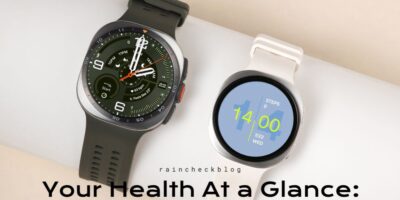
GCash and Huawei are bringing the ease and convenience of wearable payments to the Philippines for the very first time with the launch of Watch Pay, a scannable QR code linked to your GCash wallet built right into your Huawei smartwatch. Whether you’re grabbing groceries, dining out, or buying a new pair of sneakers, your wallet can now be worn on your wrist – and you can experience payments on the go like never before.
Currently available on the HUAWEI Watch Ultimate, Watch 4, Watch 5, Watch Fit 3, Watch Fit 4 Series, Watch GT 4 and 5 Series, Band 10, Watch D2 2, Watch Pay introduces Filipinos to the next-generation way to pay. It’s secure, seamless, and always within arm’s reach, making smarter and more seamless payments available for all.
Simplified and convenient, powered by innovative technology
What makes Watch Pay exciting is the ease it brings to everyday moments all through the same smartwatch that powers your workouts. You’re already tracking your steps, checking your vitals, and logging your workouts with your smartwatch. Now, it’s your wallet too, so smart spending just got even smarter. There’s no need to carry cash or cards when out on your errands, now no more fumbling through your wallet when you’re in a rush or getting caught up with a minor inconvenience like a buggy card terminal.
With Watch Pay, all you need is the QR code that will be conveniently generated on your watch. This QR code will simply be scanned, and you’re good to go. This technology ensures that payments are quick and easy.
Since each transaction still runs through the GCash app, there’s also no need to adjust how you track your spending. You can still find your payments recorded in the app’s transaction history.
Watch Pay is available to all GCash users and is accepted across GCash’s wide network of partner merchants. Imagine how uncomplicated it would be to go grocery shopping at Robinsons Supermarket, buying new shoes at the SM Store, or even paying for a quick snack and coffee at Lawson – all without the trouble of bringing lots of cash with you. It’s subtle, but it does make daily errands feel a little more effortless.
How to link your smartwatch and use Watch Pay
Ready to activate your Watch Pay? Follow these steps below:
- Open GCash on your smartwatch
- Tap on Link
- Scan the QR code with your HUAWEI or Android phone
- Press Bind and enter the linking code
- Confirm your device to bind
Easily use Watch Pay by following these simple instructions:
- Open “settings” on your HUAWEI smartwatch.
- Search for and tap “Payments”.
- Tap on “Open GCash”.
- A QR code will be generated, which the merchant can now scan.
GCash has been a go-to for everything from paying bills to sending money. With the arrival of Watch Pay, the country’s top finance app is taking things a step further once again, bringing a global innovation right to our wrists. With every new feature, GCash is quickly redefining what the best way to pay looks like. Experience it for yourself today and download the GCash app on the App Store or Google Play Store.

- Shift the Game: Acer Celebrates 50 Years of Innovation and 10 Years of Acer Day with an Epic Concert - August 24, 2026
- Grab Unlocks More Savings for Users With GrabCoins Across Rides, Deliveries and Payments - August 24, 2026
- Shawie’s Essentials | The Grocery Items That Inspired Sharon Cuneta’s Essentials - August 24, 2026


























Leave a Reply